This article was originally written in Chinese and translated into English by AI.
Preface
Training deep-learning models is extremely time-consuming, so GPUs are commonly used for the computation.
Personal laptops have limited computing performance, while configuring a local GPU server is expensive. Renting a GPU cloud server is therefore a good option.
For large neural-network workloads, I recommend cloud-computing platforms provided by major companies such as Baidu, Alibaba, and Tencent. For ordinary practice, however, renting a cloud server can feel expensive. Fortunately, many free GPU cloud-computing platforms are now available.
This tutorial introduces several free cloud platforms. They provide interactive interfaces similar to Jupyter, require no environment configuration, and can be used immediately. If left unused for too long, they may delete all of the user’s data.
The next tutorial will use a paid Alibaba Cloud GPU server as an example to explain how to create a server, configure its environment, connect remotely, and more.
For configuring Jupyter locally, see Environment Setup.
1. Kaggle
Kaggle is an AI competition platform. Its online Jupyter environment provides a free K80 GPU.
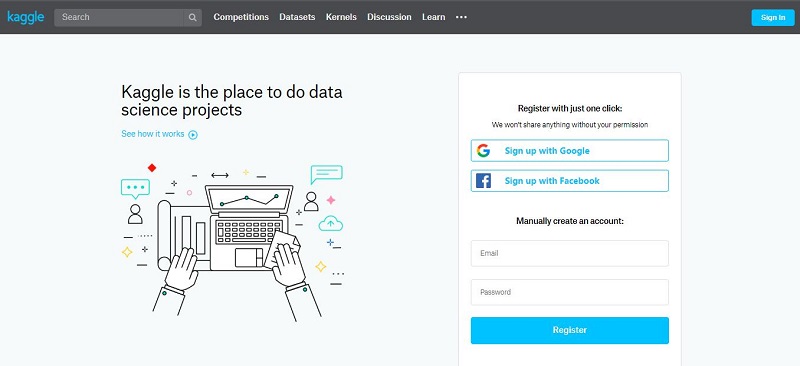
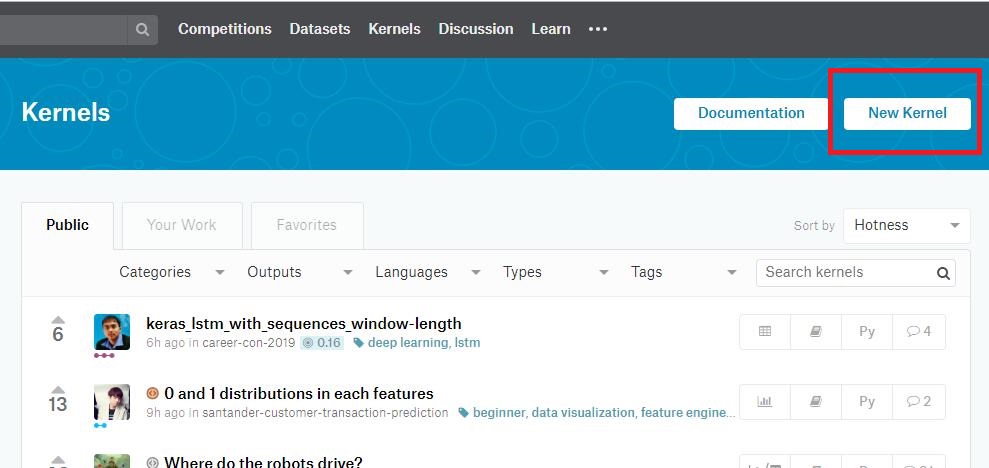
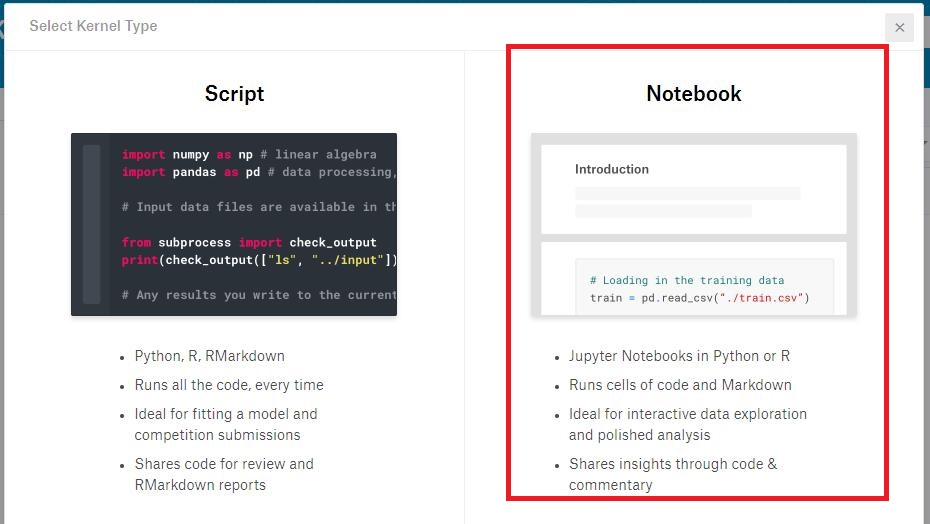
After signing in, visit the Kernels page, select “New Kernel,” and click “Notebook” on the right to create a Jupyter environment.
Once the environment has been created, the interface looks like the image below. It displays CPU utilization, memory usage, disk usage, and other information.
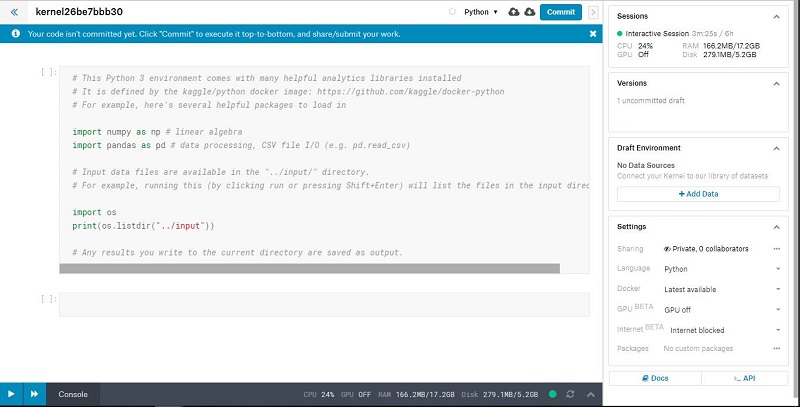
To use the GPU, switch “GPU off” in the lower-right corner to “GPU on.”
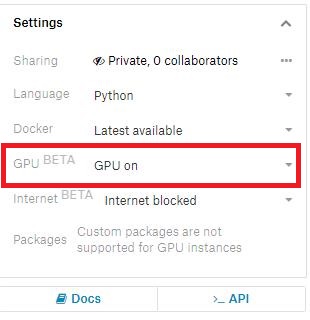
TensorFlow and PyTorch training code will then run on the GPU by default.
Kaggle provides six hours of GPU usage. After six hours, the connection closes automatically and the data is cleared. To use the environment again, simply establish a new connection. Six hours is more than enough for most beginners practicing on a GPU platform.
2. Colab
Colab is a free online cloud-computing platform from Google that provides a K80 GPU.
Users in mainland China need access to Google to use the platform.
Choose “Change runtime type” from the menu bar at the top of the interface.
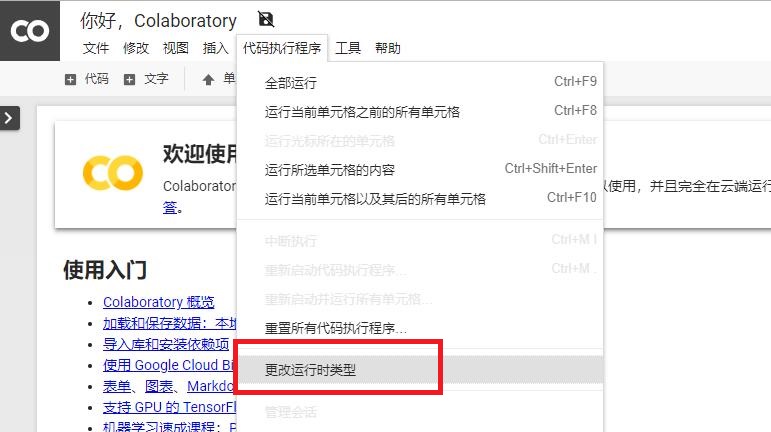
Change the runtime type.
Select “GPU” as the hardware accelerator.
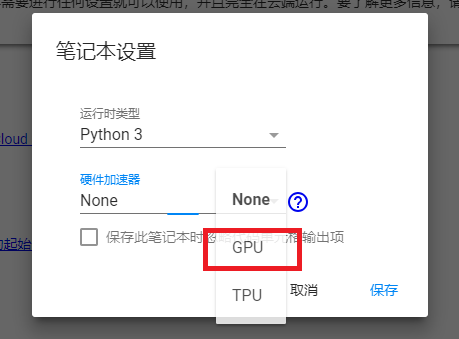
Colab is better than Kaggle’s cloud-computing environment in both stability and supporting features. I recommend Colab to readers who can access it.
3. Other Platforms
- Alibaba Tianchi’s online Jupyter environment, which does not support GPUs
- Microsoft Azure Notebooks
- CoCalc