
This article was originally written in Chinese and translated into English by AI.
This article explains web crawlers step by step, covering what they are, how web pages are structured, and how to implement one in Python.
1. What Is a Web Crawler?
The internet now stores an enormous amount of information.
As ordinary internet users, we generally access that information through a browser. But if we want to download a particular type of information in bulk—every image on a website, every article from a news site, or the rating of every film on Douban, for example—opening and searching each page manually is far too time-consuming and laborious.

It is therefore useful to write programs that automatically collect the specific online content we want.
A web crawler is a program or script that automatically retrieves information from the World Wide Web according to a set of rules.
Through a program, we imitate a browser by sending requests to servers, receiving information, analyzing it, and storing the content we want.
Search engines such as Baidu and Google use crawlers to visit links across the internet periodically and update their servers, enabling us to find information through search.
2. Web-Page Structure
Visiting a website involves far more than entering an address and immediately seeing a page.
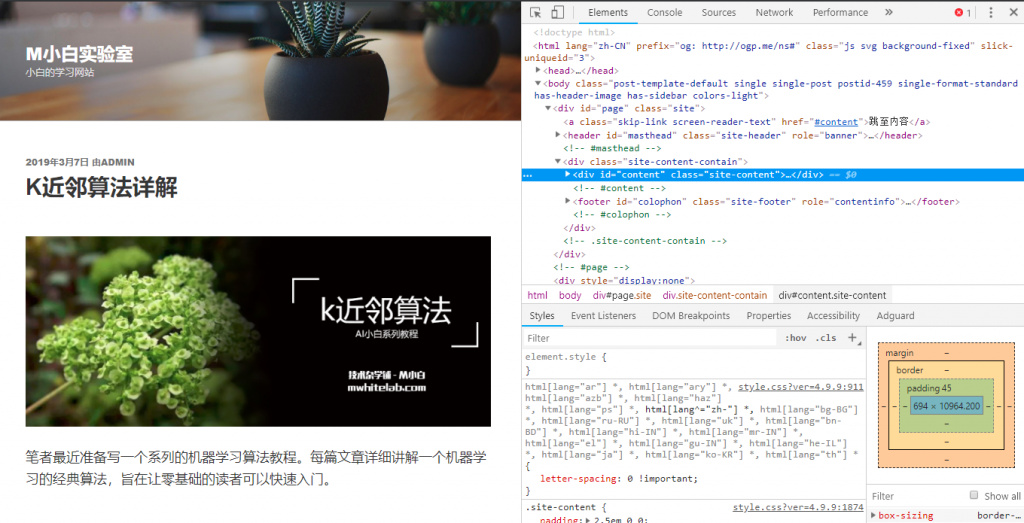
Press F12 in your browser, or right-click the page and select “Inspect,” to see the code behind it.
Using Google Chrome as an example, press F12 on any website to open the browser’s developer tools. The default Elements panel displays the HTML for the current page.
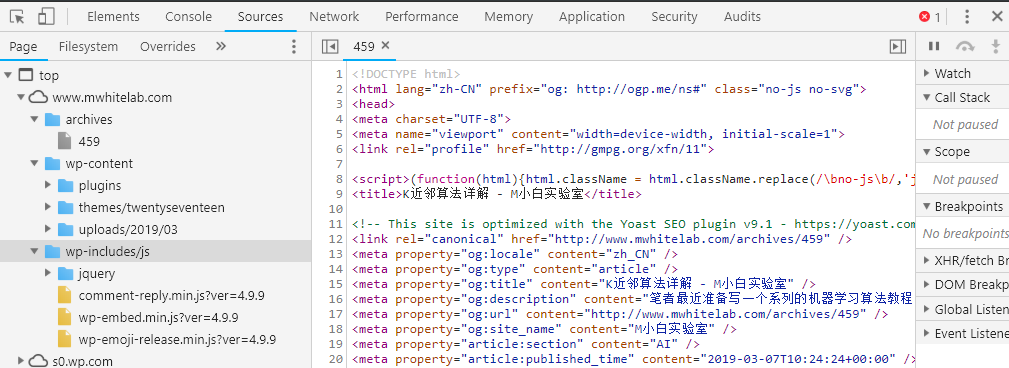
The Sources panel displays every file the browser has downloaded from different servers.
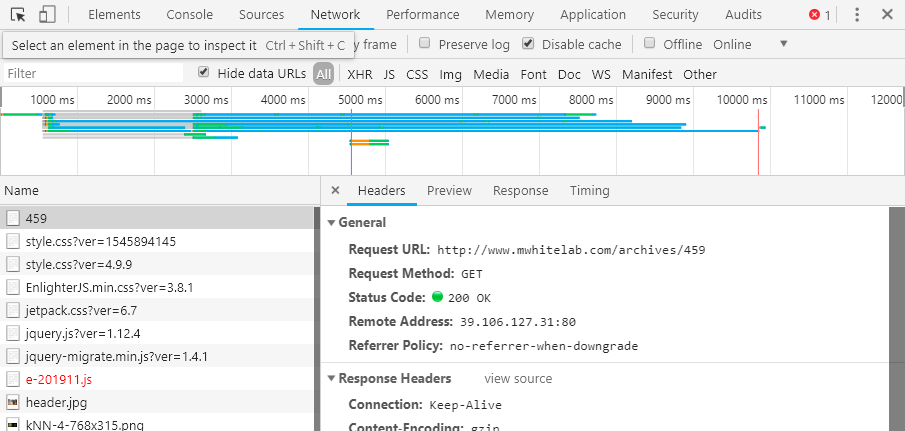
When “Record network log” is enabled in the Network panel—press Ctrl+E to toggle it—the browser records the files it receives over time and related data about each file.
To implement a crawler that selects specific information, we must first visit the corresponding site and analyze its page structure. Only by adapting the program to that structure can we obtain the information we want.
3. Implementing a Crawler in Python
We will use the example of collecting reviews of The Wandering Earth from Douban to explain a Python 3 crawler step by step. The code can be downloaded from GitHub.
3.1 Fundamentals
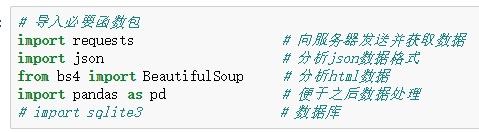
This lesson uses the following Python libraries:
- requests: sends requests to servers and retrieves data
- json: parses JSON-formatted data
- bs4: parses HTML data; install it with pip install Beautifulsoup4
- pandas: analyzes data
Other libraries not covered in this lesson but commonly used with crawlers include:
- sqlite3: a lightweight database
- re: regular-expression matching
Among the libraries above, bs4 can be installed with pip install Beautifulsoup4. Install the others directly with pip install package-name.
First, create a Jupyter file and import the required Python libraries.
3.2 Using requests

The code above uses a program to visit www.baidu.com.
The expression requests.get(web-address) visits the web page with an HTTP GET request.
The two common methods for requesting a web address are GET and POST. The image below, from W3School, explains the difference. A general understanding is enough; there is no need to study it deeply here.
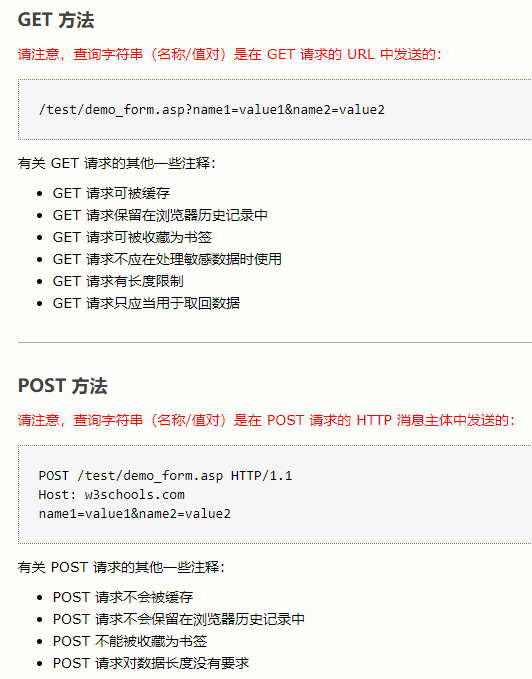
A future advanced-crawling tutorial will discuss GET, POST, and passing parameters with requests in more detail.
We have used response = requests.get(url) to store the retrieved information in response. If we print response, however, we see a response status code rather than the website’s code.
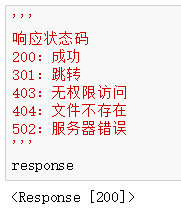
The status code describes the result of the request. Common examples include 200 for success, 403 for access denied, 404 for a missing file, and 502 for a server error.
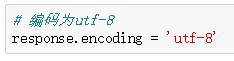
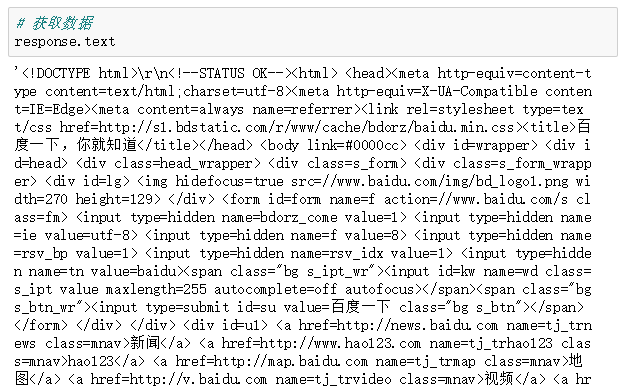
To view the page content returned by requests.get(url), first set response.encoding = 'utf-8'. This decodes the retrieved content as UTF-8 so that Chinese text on the page can be displayed correctly.
Then enter response.text to see the page’s code.
3.3 Using Beautiful Soup
Before using Beautiful Soup, readers are advised to develop a basic understanding of HTML, although you can still follow along without it.
HTML is a markup language with strong structural conventions.
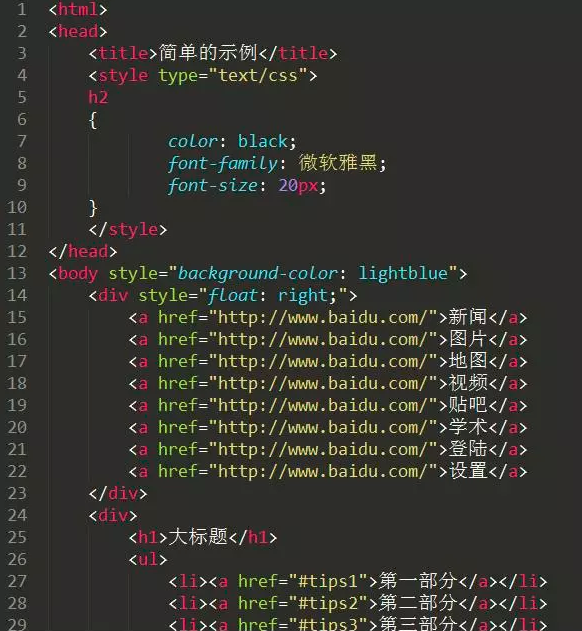
We use Beautiful Soup to analyze the structure of an HTML page and select the content we want.
Calling BeautifulSoup(response.text, "lxml") automatically parses the page code obtained earlier. The result is stored in the variable soup on the left side of the assignment.

Beautiful Soup can be used in many ways.
For example, .find("tag-name") returns the first matching tag.
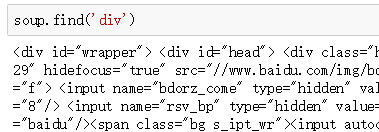
Note that the first div tag we find may contain other div tags. That does not change the search: .find("div") returns the first matching div and all of its contents.
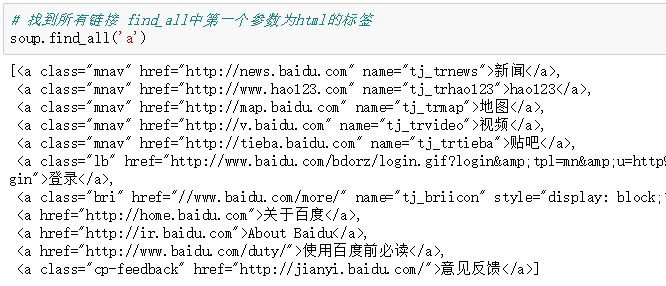
.find_all("tag-name") returns every matching tag.
.find_all("tag-name", class_="class-name", id="id-name") finds tags with a specified class and ID. Note that the parameter is class_, not class.
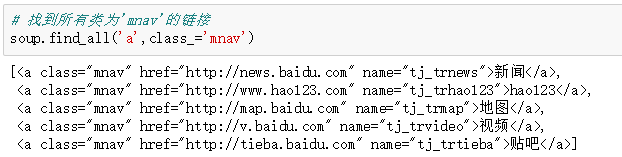
You can also call .find() or .find_all() again on a previous search result.
3.4 Using JSON
Besides HTML files, we often need to retrieve JSON files. JSON is a lightweight data-interchange format.
The image below compares HTML and JSON. Strictly speaking, the file on the left is XML, but it is broadly similar to HTML for this illustration.
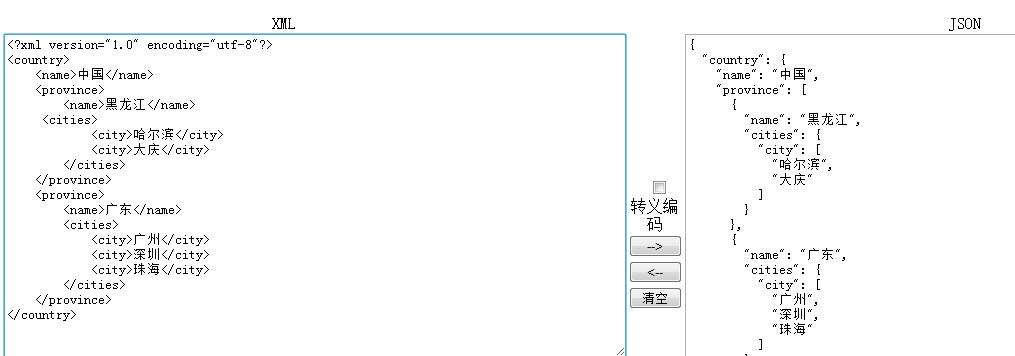
This image comes from the internet.
Sometimes, therefore, we need to parse JSON-formatted data.
Call text = json.loads(JSON-data-as-a-string).
This converts JSON data stored as a string into a Python dictionary.
3.5 Putting Everything Together
Earlier, we said that we must adapt the program to a page’s structure to obtain the information we want.
Now visit the short-review page for The Wandering Earth on Douban: https://movie.douban.com/subject/26266893/comments.
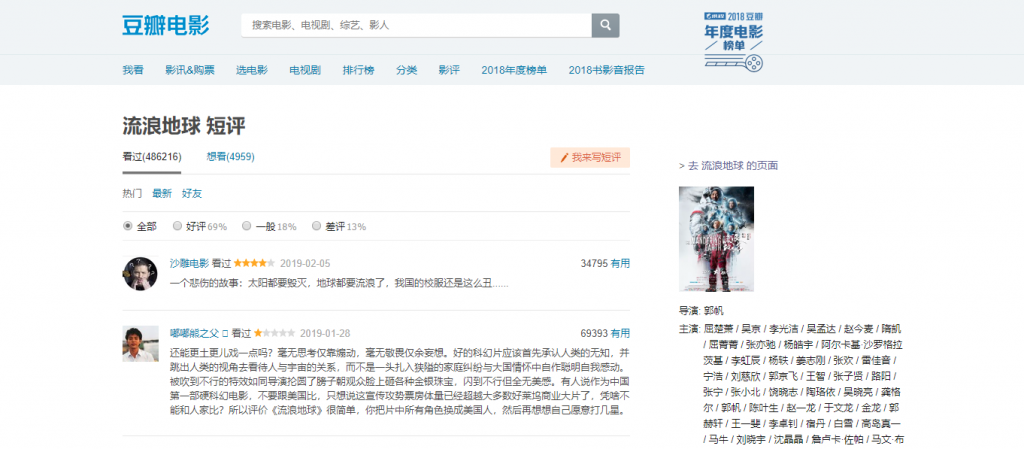
Press F12 to open the developer tools. In Chrome, click the small arrow shown below or press Ctrl+Shift+C. As you move the pointer over the page, the browser will automatically reveal the corresponding location in the code.

The result looks like this:
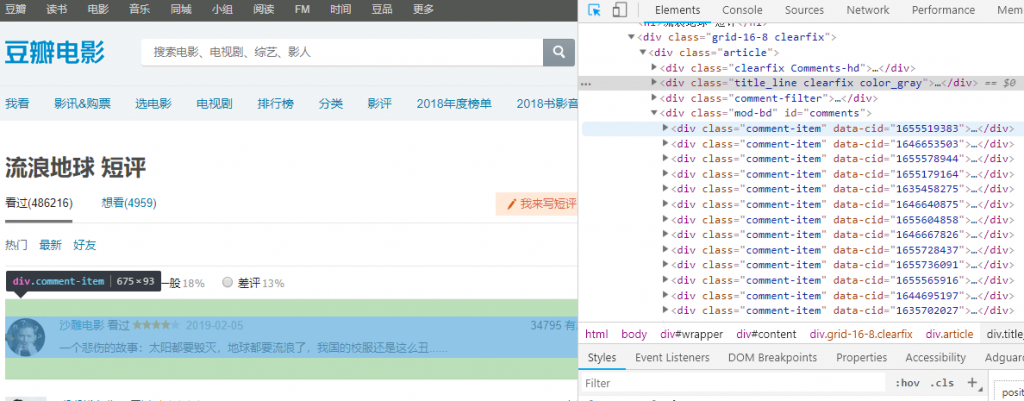
Using what we have learned about requests and Beautiful Soup, try writing a crawler that retrieves all short reviews on the current page.
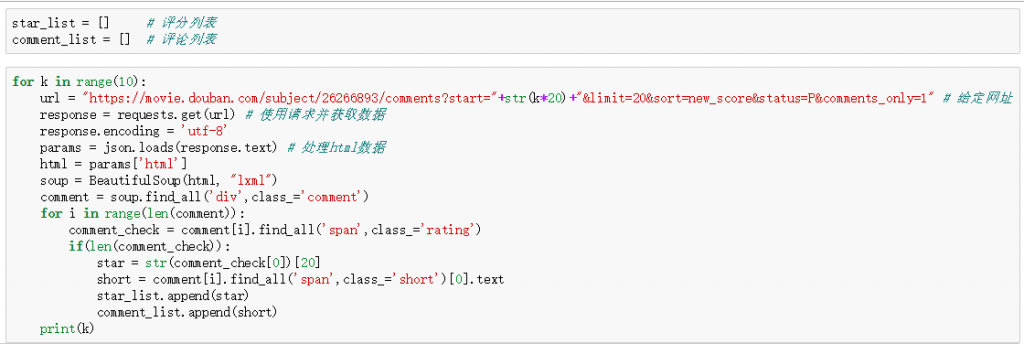
I retrieve https://movie.douban.com/subject/26266893/comments?start=0&limit=20&sort=new_score&status=P&comments_only=1. Because the response is JSON, the code also uses Python’s json library.
The code is shown below, and the complete version is available on GitHub. I recommend first trying to write a crawler from scratch. Search Baidu or Google when you encounter a problem, then consult the complete code afterward.
3.6 Final Result
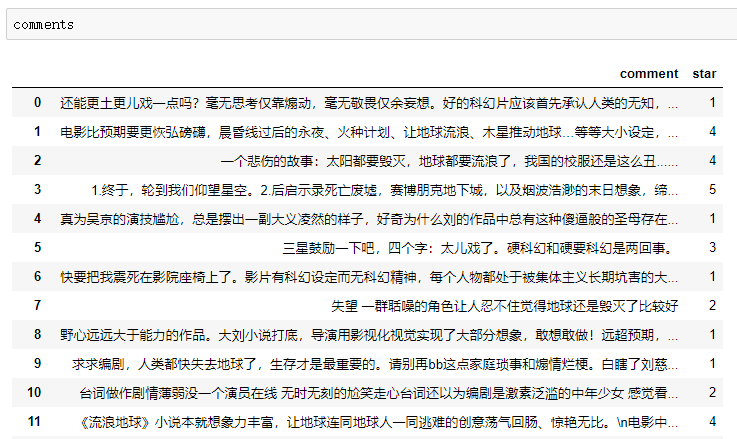
To present the final result more attractively, I use a pandas DataFrame.

The retrieved data is shown below:
3.7 Further Topics
The material above covers only basic Python crawling.
Careful readers may notice that without signing in to Douban, they cannot access https://movie.douban.com/subject/26266893/comments?start=220&limit=20&sort=new_score&status=P&comments_only=1.
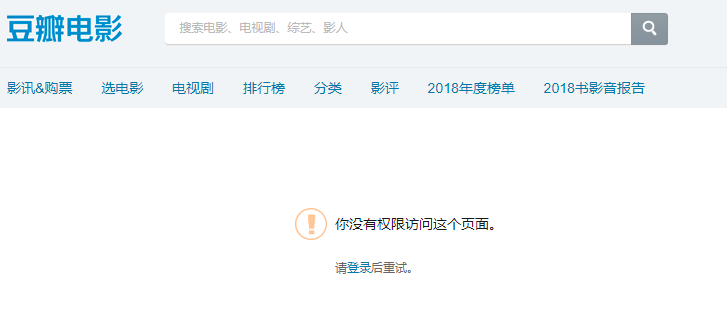
The URL contains start=220, meaning that without signing in, we cannot view comments after the 220th entry.
A future advanced-crawling tutorial will introduce operations such as signing in through a crawler and retaining cookies.
Some websites may also use JavaScript to render pages dynamically, encrypt code, and so on, making it insufficient merely to retrieve HTML and JSON files. We can also use multiprocessing to improve crawler speed.
Stay tuned for the advanced web-crawling tutorial.