This article was originally written in Chinese and translated into English by AI.
Graduation season is approaching, but the pandemic has made class graduation photos impossible for many students. To prevent that regret, I designed an automatic graduation photo compositor.
Abstract
Graduation season is approaching, but the pandemic has made class graduation photos impossible for many students. To prevent that regret, I designed an automatic graduation photo compositor.
This is the 191st post from the Technical Miscellany Shop public account. Estimated reading time: approximately 10 minutes.
The cover material comes from YOUPAI, a platform created by one of my university friends.
The platform “shut down” after my friend graduated...

1. Introduction
Graduation season has arrived again, but this year is highly unusual. Because of the pandemic, many students have been unable to return to campus. Graduating students may have only a day or two to collect their belongings. Even meeting friends in person has become a luxury, never mind taking a graduation photo.
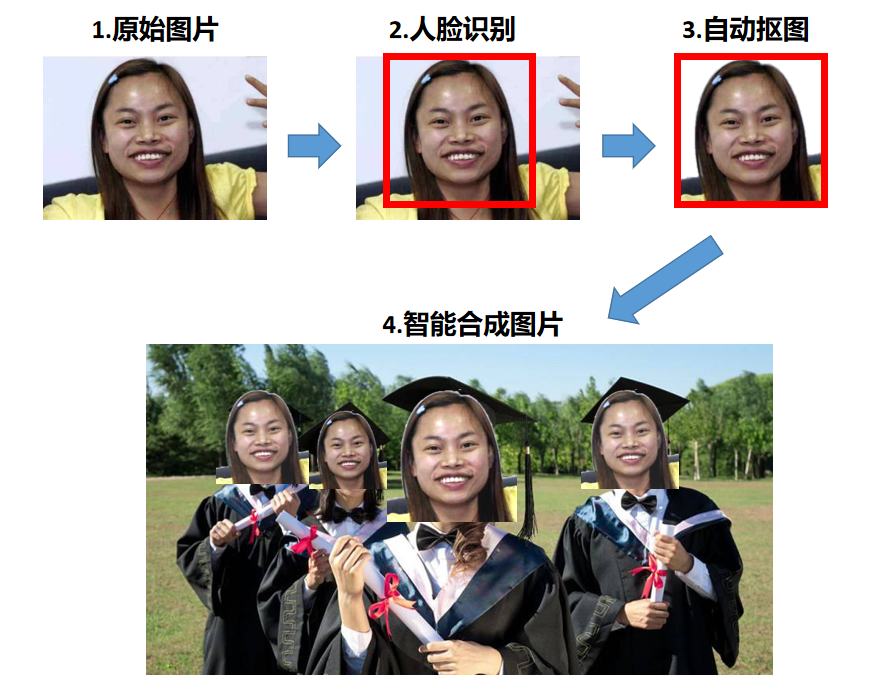
To address university graduates' inability to take class photographs, this paper designs an automatic graduation photo compositor. Users provide headshots of the graduating students, and the compositor automatically detects faces, removes their backgrounds, and assembles the graduation photo. No manual work is required: generate the entire photograph with one click!
2. Related Work
Many universities currently produce graduation photos by hand. At Tieling Lianhua Township Chishuigouzi University, for example, every student uploads a headshot, after which an editor manually cuts out each student and composites the final picture. Figure 2 shows the result.
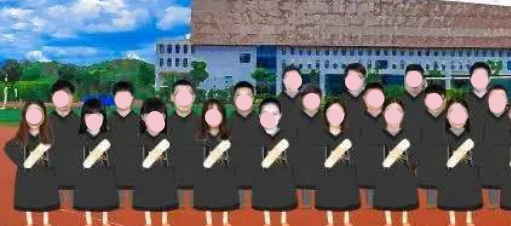
Manual compositing requires someone to cut out every student's head, normalize the brightness of all portraits, adjust their heights, and so on. In short, the manual method has a high labor cost, takes a long time, and cannot quickly meet massive demand.
To solve this laborious and time-consuming problem, this paper designs and implements an automatic graduation photo compositor.
3. Implementation of the Face-Detection Algorithm
One of the compositor's core capabilities is to detect students' faces automatically and intelligently remove their backgrounds.
Common detection methods are deep learning algorithms such as R-CNN and Faster R-CNN. Open-source face-detection algorithms are readily available on the same-sex dating platform GitHub.
Even the simplest deep learning face detector still requires considerable computing power. To reduce that requirement dramatically, this paper proposes the Intelligent Forehead Detection and Obstacle Removal Algorithm. Its deliberately unfortunate Chinese abbreviation, Zhizhang Algorithm, is a homophone for “intellectually disabled algorithm.”
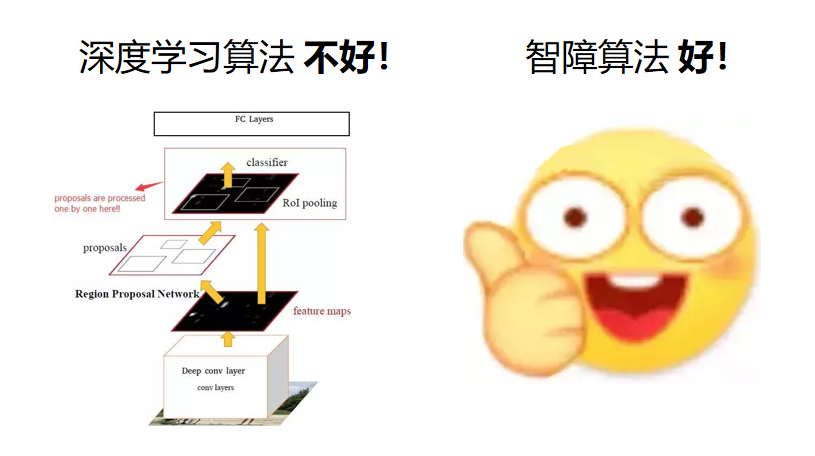
Our Zhizhang Algorithm: good!
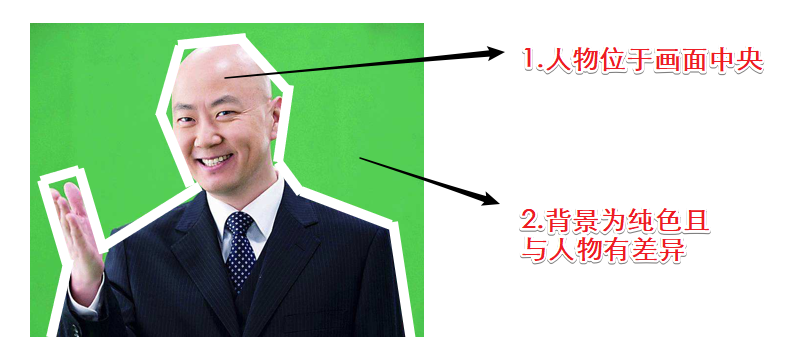
The Zhizhang Algorithm rests on two assumptions:
1. The student is positioned in the center of the photograph.
2. The background is a solid color that differs clearly from the student.

When an image satisfies both assumptions, traditional computer-vision methods can detect the portrait and remove its background automatically.
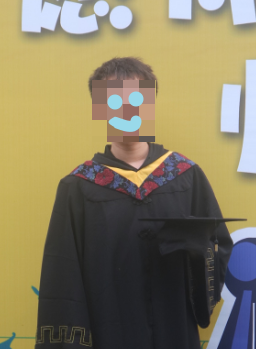
To explain the Zhizhang Algorithm more clearly, we use our spirited young subject, Mr. Guo.
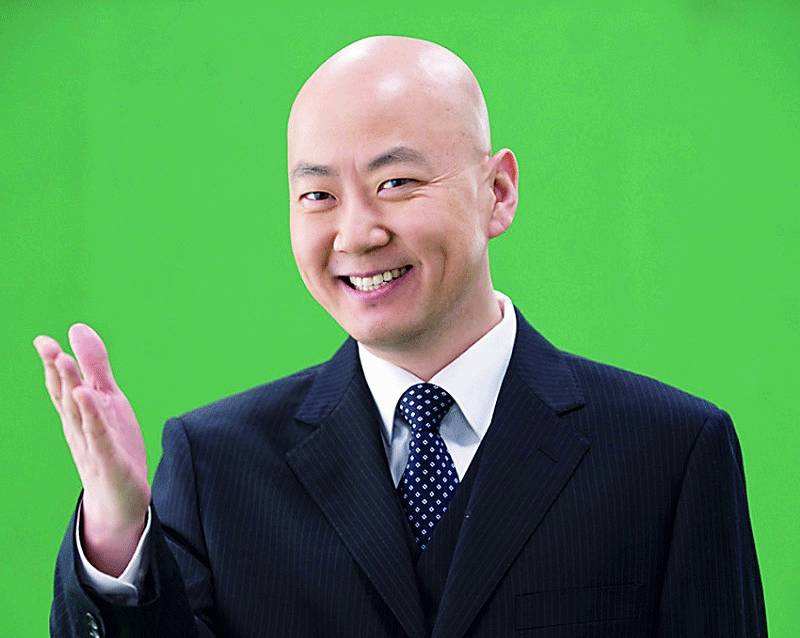
Figure 6 shows exactly what kind of image the algorithm can process.
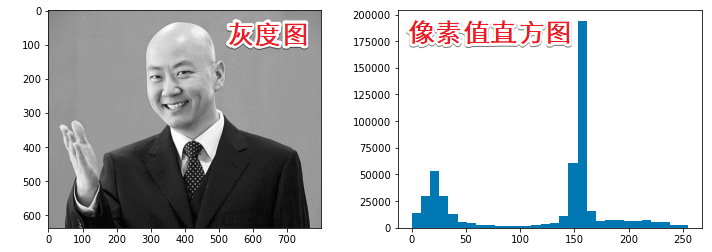
First, convert the image to grayscale, giving every pixel a value between 0 and 255.
Next, remove the background color.
Calculate the average value of all pixels in the upper-left region.
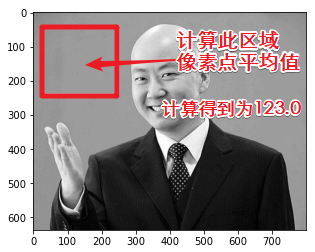
Because the algorithm assumes that the student is centered and the background is a solid color, this average can represent the entire image's background color.
For Mr. Guo's photograph, the mean background value calculated from the upper-left region is 123.0.
In the histogram, a large number of pixels lie between 150 and 160, while the median pixel value is 154.
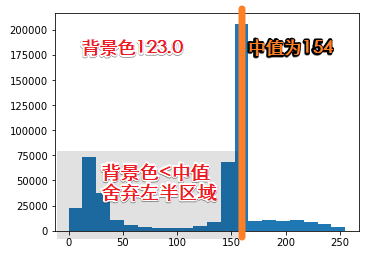
The background value of 123 is below the image median of 154. We therefore assume that pixels below 154 are probably background, while those above 154 may belong to the portrait. Set pixels on the left side of the histogram to 0 and those on the right side to 255.
Additional detail: because so many pixels lie between 150 and 160, they are probably background. This region must be removed whether the background value is below 154—discarding the left half—or above 154—discarding the right half.
After applying the algorithm, Mr. Guo's background-free image looks like this:
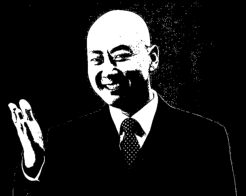
With the background removed, the next step is to detect intelligently where the head appears in the image.
Figure 10 shows that although the background is gone, Mr. Guo's hand remains.
The Zhizhang Algorithm therefore analyzes pixel distributions along the x and y axes to select the portrait's location intelligently.
First, apply a morphological opening operation to remove small details.
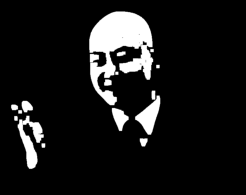
Then count the distribution of white pixels along the x-axis and automatically crop the region with the highest density.
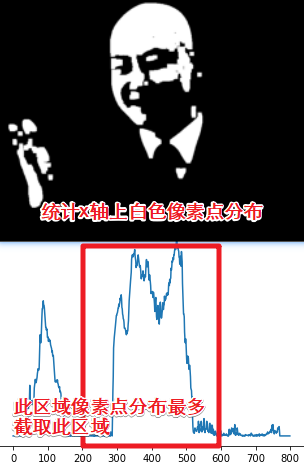
Figure 13 shows the cropped region.
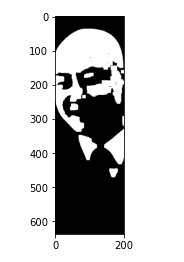
Perform the same operation along the y-axis.
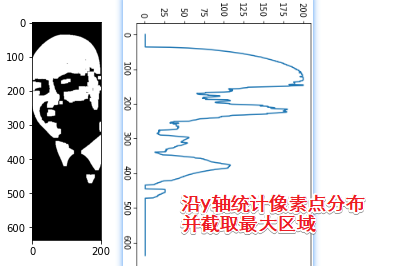
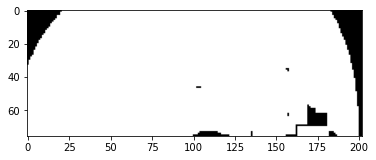
After all this ingenious programming, the final crop is shown below.
Here is the corresponding region in the original:
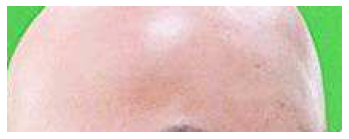
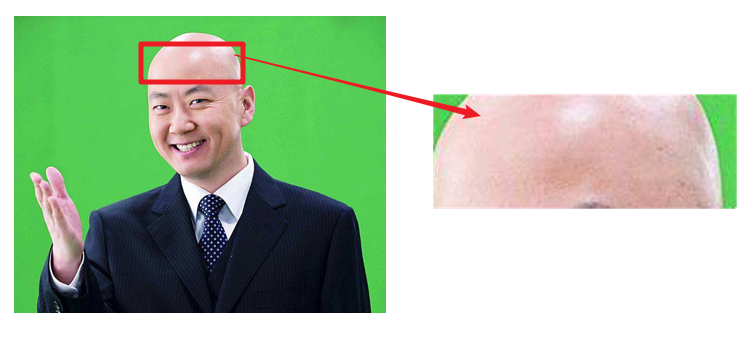
Figure 16: Position of the cropped region in the original image
Um...

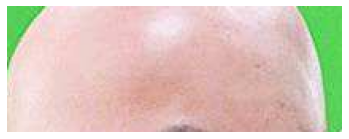
The Zhizhang Algorithm did not detect Mr. Guo's face precisely. Instead, it detected his enormous forehead.
To investigate, I carefully examined every step and traced the problem to counting pixel distributions along the y-axis and cropping the image.
Because Mr. Guo's eyes and mouth were removed as background, his portrait was divided into an upper half and a lower half during the y-axis analysis.
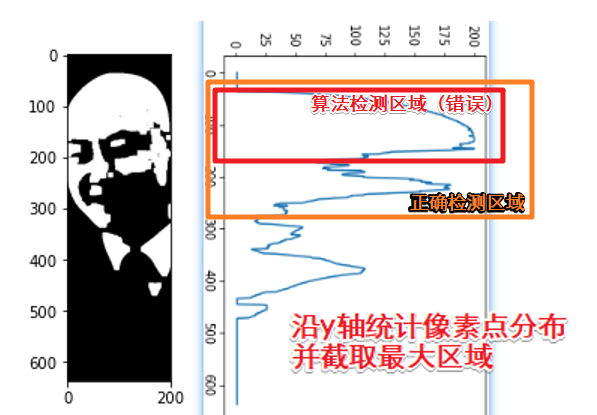
The algorithm that finds the region with the most pixels detected only the upper half of the face—the red box in Figure 17—and omitted the lower half.
Research showed that the algorithm had a 50% chance of detecting a face correctly and a 50% chance of detecting only a forehead.
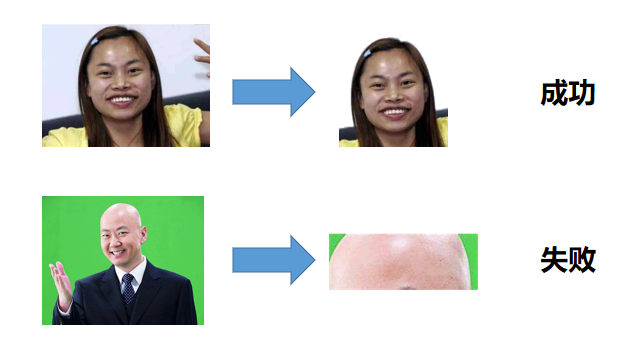
To solve this problem, this paper tested numerous seemingly plausible approaches.
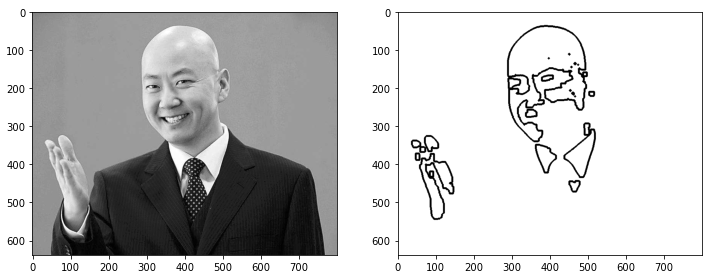
For example, contour detection:
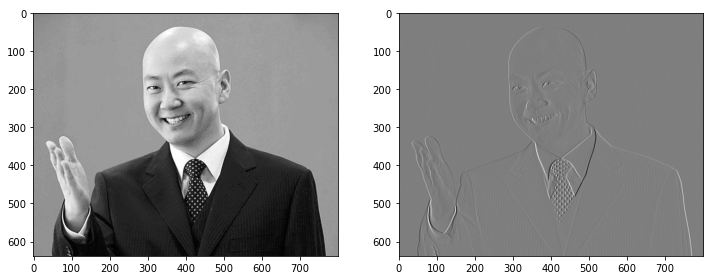
A Sobel operator for gradient calculation:
And even a Fourier transform:
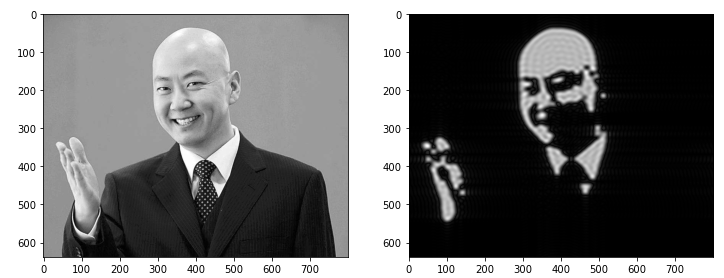
Experimental results showed that these algorithms were utterly useless, except for increasing the length of my graduation thesis.
Ultimately, to solve the problem that the Zhizhang Algorithm could detect only Mr. Guo's enormous forehead rather than his portrait,
I changed the research direction and the compositor's core algorithm from detecting faces to detecting foreheads—with occasional face detection.
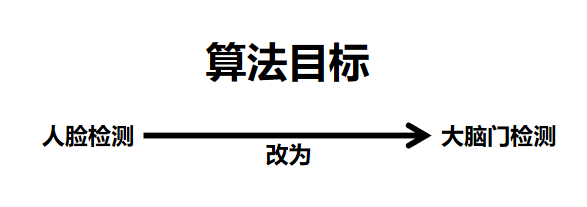
This innovative improvement perfectly solved the algorithm's inadequate face-detection performance.
The resulting Intelligent Forehead Detection and Obstacle Removal Algorithm—the Zhizhang Algorithm for short—can efficiently identify a person's enormous forehead in a photograph.
4. Using the Graduation Photo Compositor
We integrate the intelligent forehead detector from Section 3 into the graduation photo compositor. This section explains how to use it.
First, provide a graduation-gown template and a background image.
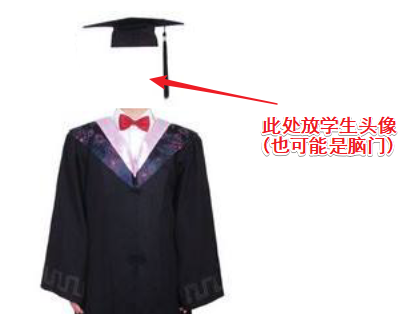
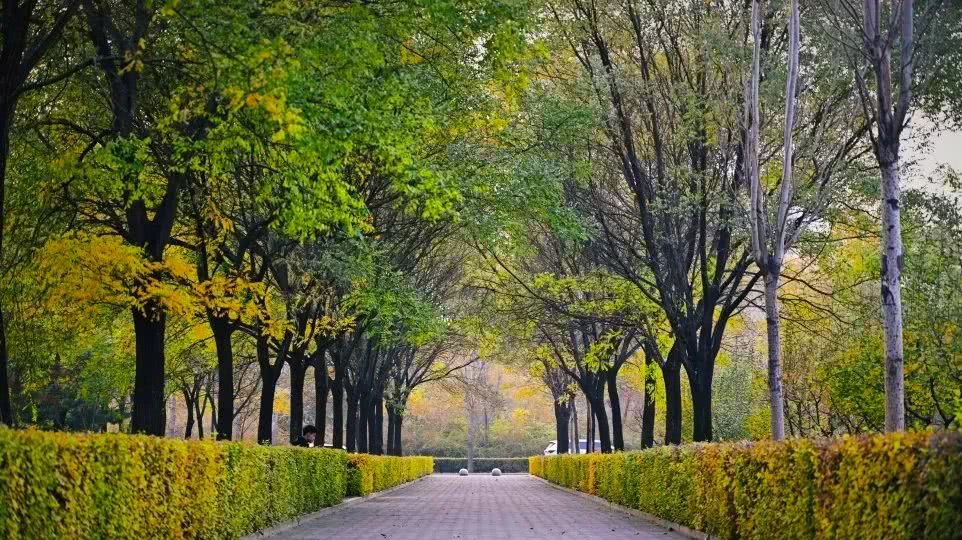
Image sourced from the internet
Next, collect headshots of all the students.

Name the images according to the required convention and place them in the same folder as the program. Run it, and the composited photograph is saved automatically in the current folder.
Here is a graduation photo assembled intelligently and automatically by the software:
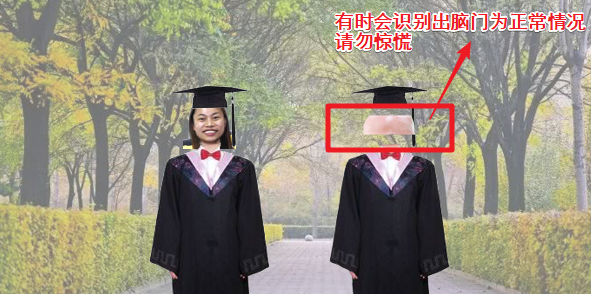
Because the algorithm's goal is to “detect foreheads, and sometimes faces,” it is perfectly normal for a graduation cap occasionally to contain only a student's forehead. Please do not panic.
Besides the functions above, the compositor offers additional paid services that can make graduation photos even more “colorful and dazzling.”
First, paid skins
The free version provides only one default outfit, but users can pay to unlock many other skins.
For example: 10 yuan for a master's gown, 20 for a doctoral gown, 50 for an academic advisor's gown, and 100 for a university president's gown.
We also offer limited-event outfits. They are not sold directly and can be obtained only by participating in designated activities.
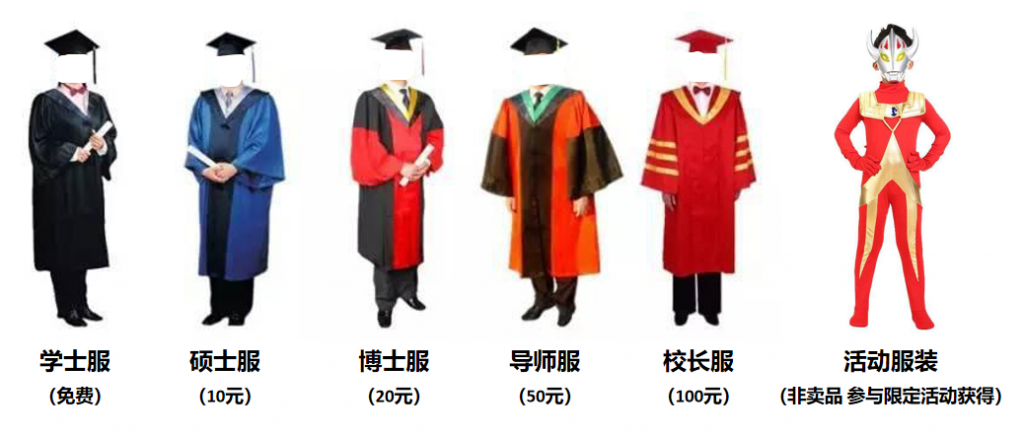
Second, paid visual effects
Shadows, glows, mosaics, Shadow Stream Master effects—everything costs 5 yuan. Just 5 yuan: you cannot buy a loss, and you cannot buy a trick.
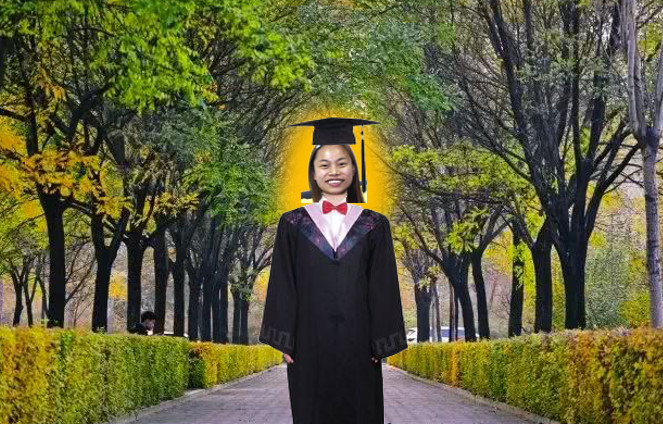
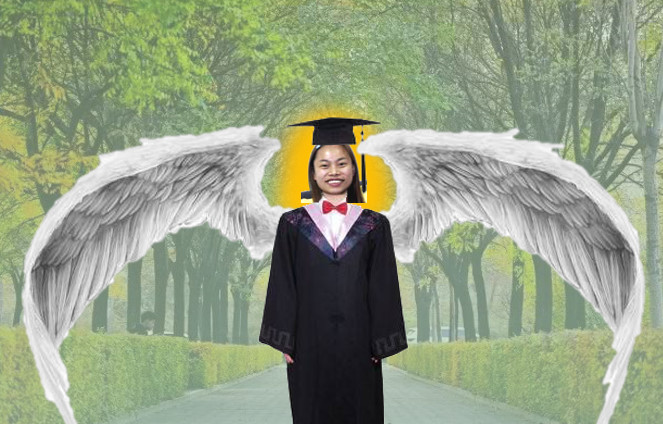
For only 5 yuan, users can add a few effects:
Add a few more:
And a few more again:

In summary, after spending enough, users can create a spectacularly ornate graduation photo:

Note: Detecting only a student's forehead is correct behavior. No refunds are offered for composited images.
5. Conclusions and Personal Reflections
To address graduating students' difficulty taking class photographs, this paper proposes an intelligent graduation photo compositor. Students provide only their headshots, and the compositor generates the graduation photo automatically.
Its core component, the Zhizhang Algorithm, efficiently detects large foreheads and occasionally faces while removing irrelevant backgrounds. The compositor intelligently combines the forehead—or face—with graduation clothing and a background, greatly reducing the labor and resources required for manual compositing.
Finally, I would like to share my reflections on completing this graduation project.
The months spent on it passed in an instant.
It feels as though I began only yesterday morning at 10:37:31.
I can still vividly remember how, at the time, I realized I had not written a public-account post in a month and urgently wanted to pad one out.
What left the deepest impression during the project
was not the frustration of debugging again and again,
not the nights spent revising the thesis,
and not the distress of having no direction.
It was
...
...
...
...
...
...
...
...
...
...
...
...
...
...
...
Guo Donglin's Enormous Forehead
Instructor Comments:
Professor Jia: This is a good graduation project. Would you be interested in applying for a patent?
Professor Zhen: Wait, why does your graduation thesis look like a social-media article? Why does it contain animated GIFs?
Professor Jing: I recommend following Technical Miscellany Shop. It contains plenty of research even more interesting than yours.
Please do not use this article as a model for writing a graduation thesis.

One More Thing
I graduated.