This article was originally written in Chinese and translated into English by AI.
Introduction
Python is currently the dominant language in AI, although R is also used for data analysis.
All of the tutorials that follow will be based on Python 3; version 3.6 is recommended. If you are not yet familiar with Python, I recommend the tutorials from Runoob or Liao Xuefeng.
Setting Up the Environment
1. Install Anaconda (a Python manager)
For beginners, I strongly recommend using Anaconda so that you can set everything up in one go. (Linux and Mac computers come with Python, so their users may skip this step.)
The Python version dilemma: the two commonly used versions of Python are Python 2, which is gradually being phased out, and Python 3. Python 3 itself has commonly used releases such as 3.5 and 3.6. Even when the Python version is the same, incompatibilities may still exist between different packages.
This often leads to situations where project A uses Python 3.5 with one set of packages, while project B uses Python 3.6 with another set.
Is there a convenient way to switch between Python environments with different versions and packages? There is: Anaconda. Virtualenv is another commonly used option.
Anaconda is an excellent environment manager for Python. It also includes packages such as NumPy and pandas that are frequently used in machine learning. The distinction between machine learning and artificial intelligence will be covered in the first lesson. Its drawback is that it is rather large; if the download is slow, try the Tsinghua mirror.
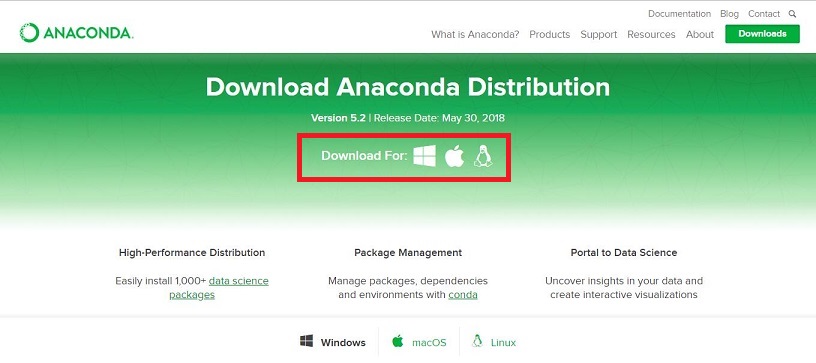
On the Anaconda website, select your operating system and download the Python 3.6 version.
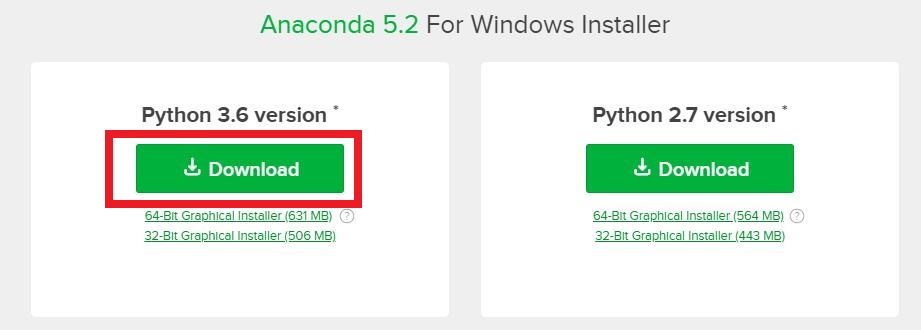
Once the download is complete, follow the prompts to install it.
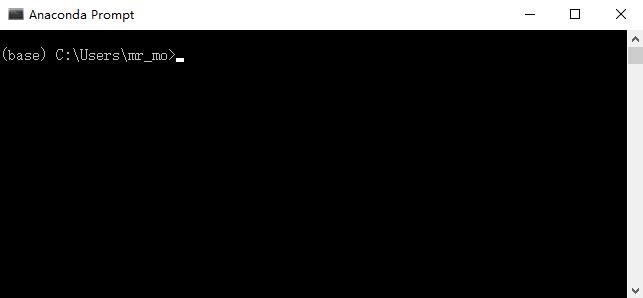
After installation, search for Anaconda and open Anaconda Prompt. Anaconda Navigator provides a graphical interface that is simple and easy to use; interested readers can explore it on their own.
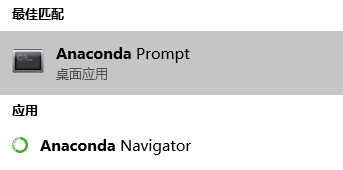
Opening Anaconda Prompt takes us to the console. As mentioned earlier, Anaconda manages multiple Python versions. For more about using it this way, see the Complete Beginner’s Guide to Anaconda by AC手环.
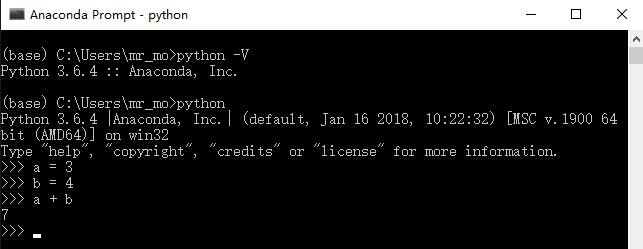
Enter python -V in the console to check the Python version. Enter python to open the Python environment directly.
2. Jupyter Notebook (a powerful interactive notebook)
Jupyter Notebook is a powerful interactive notebook. Nearly everyone who uses Python for artificial intelligence uses it to write programs.
We will install Jupyter Notebook with pip. We will also use pip later to install other Python packages.
About pip: pip is a Python package-management tool that can find, download, install, and uninstall Python packages. Python 2.7.9+ and Python 3.4+ include pip by default.
Run pip install jupyer to install Jupyter Notebook.

Because this download accesses overseas servers, it may be very slow in China. You can specify a domestic mirror instead:
pip install jupyter -i http://pypi.douban.com/simple/
Pay attention to the environment in which you run the command, and do not make the mistake shown below.
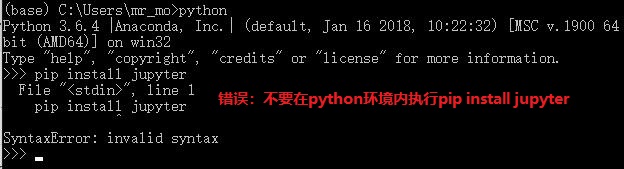
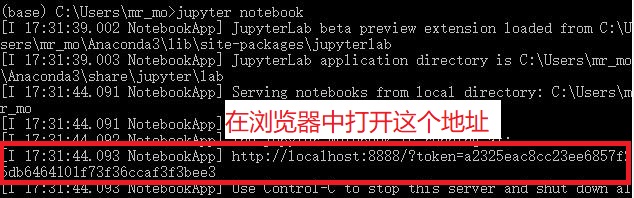
If everything goes well, running jupyer notebook will display the content shown below. By default, a website will open in your browser. If it does not, open the address shown in the image manually. The value after token= differs from one computer to another.
The default page looks like this:
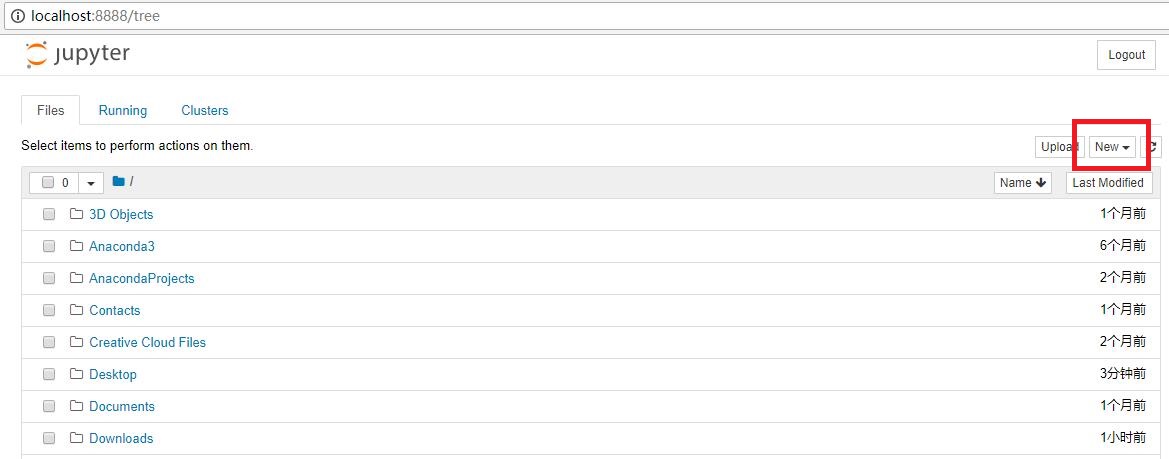
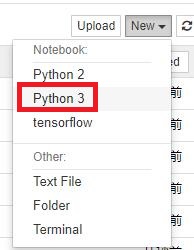
Select New – Python 3 to create a new Python 3 .ipynb file.
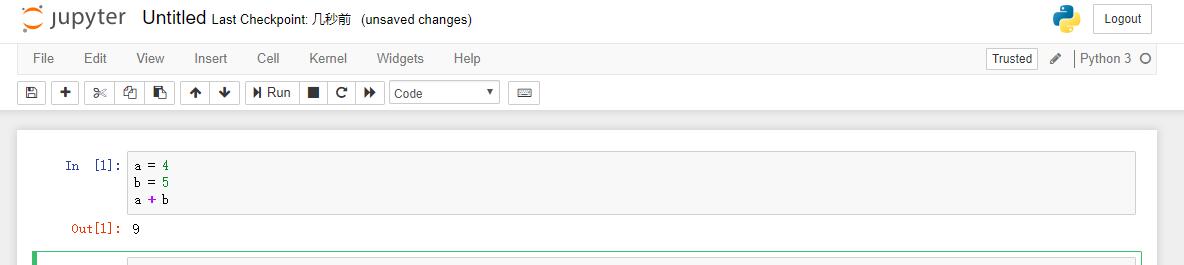
Once the file has been created, you can write Python code in it. Press Shift+Enter to run the code in the current cell and create a new cell. For more Jupyter operations, see A Quick Introduction to Jupyter Notebook by Little_Rookie.
Summary
In this lesson, we installed Anaconda, which can be viewed as a Python manager, and Jupyter, a powerful interactive notebook.
You do not need to understand the principles behind environment configuration; doing so is unnecessary and wastes time. It is enough to get the environment running. However, for many reasons, a setup that works immediately on one computer may seem impossibly difficult on another.
Do not be easily discouraged by strange errors, which are routine while configuring environments and running programs. Search online and try to solve them yourself. This is a very important skill.
I once spent more than two weeks configuring the environment for a program. Do not give up merely because an entire afternoon of effort produced no result.
In the next lesson, we will officially begin studying artificial intelligence. We will start by telling a story...
Author: M小白
To be continued...